Uranus, Neptune and Pluto are missing?
- No, of course not!
 You find all the extended features You find all the extended features
in your iPhone's Settings, after quitting Kairon.
There is a new Button called "Kairon" and this
unfolds all you can read in "Features".
- If you are using an iPad, one additional step is necessary:
iKairon has to be rebooted (after a force-quit).
To do so, doubleclick your homebutton to see all your
launched
apps in a queue.
Hold your finger on the iKairon app for a second or two
until you see the red dot with the white "-"
like in this screenshot:
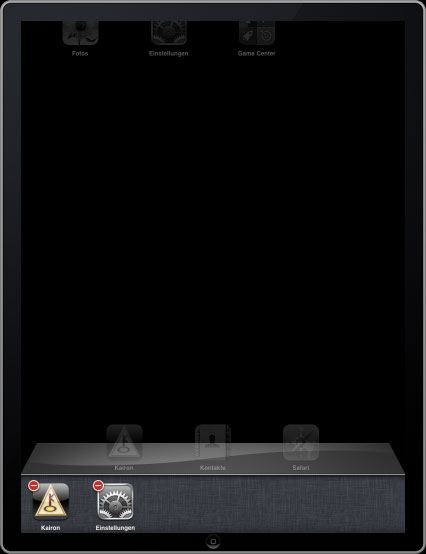
klick on that "-" and start iKairon again.
Now all settings should be seen,
as they are displayed by your settings app.
(sounds only complicated while reading, doing it is easy)
|